5 things missing from your gaming PC (and none is the graphics card)
Everyone spends it all on the GPU and then plays at an uncomfortable desk. Five cheap items that change more than a new card would.
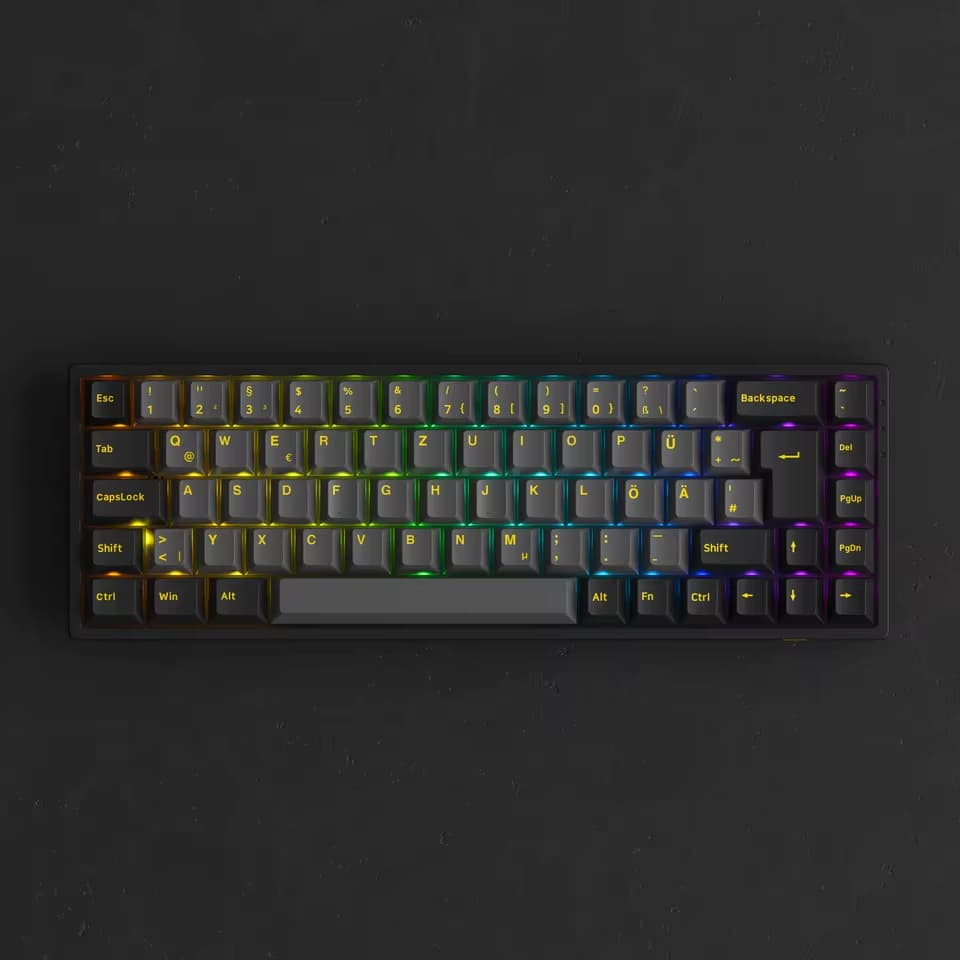
There is a mistake almost everyone makes when building a gaming PC: spend it all on the graphics card, then play at an uncomfortable desk, with an office keyboard, and the monitor at the wrong height.
The card makes the game run. Everything else is what lets you sit through four hours of it.
None of the five items below costs anywhere near a GPU. Together they change the daily experience more than a new card would.
*This article contains affiliate links. If you buy through them, VectoByte may earn a small commission at no extra cost to you.*
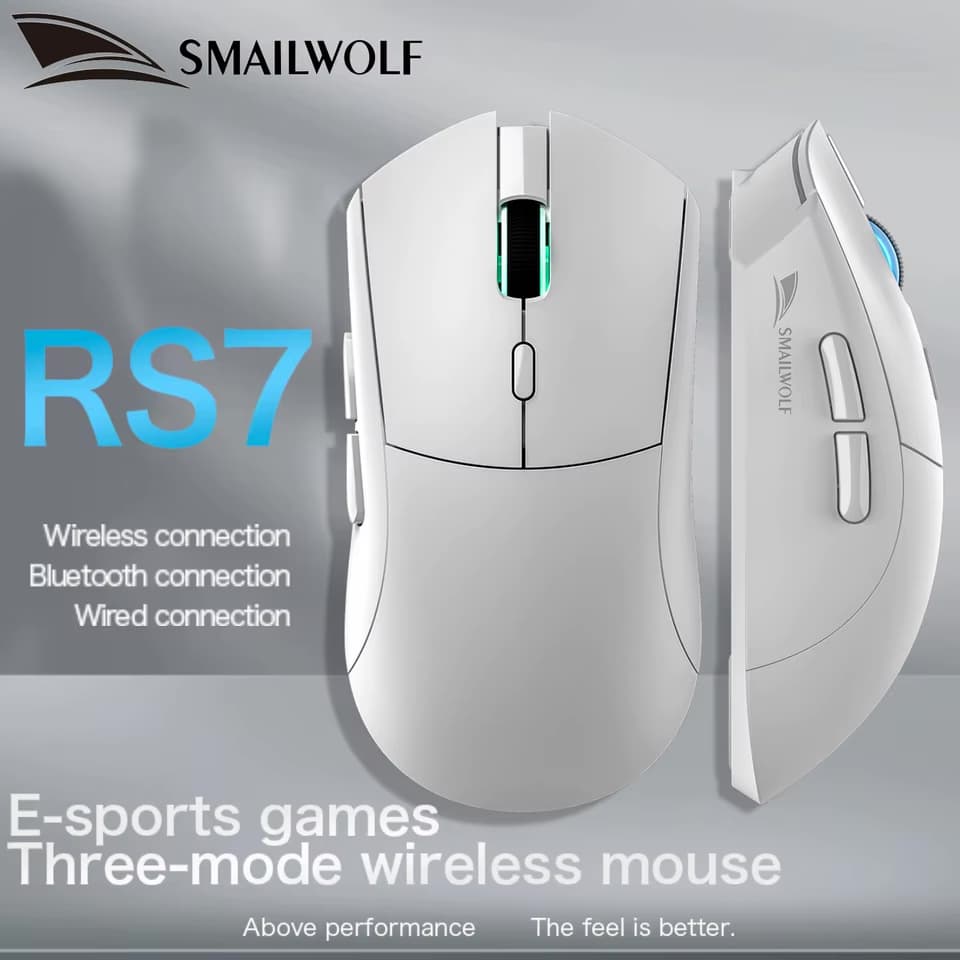
1. A three-mode wireless mouse
A mouse cable snagging on the edge of the desk is the kind of thing you only notice once it is gone.
Wireless gaming mice no longer have the lag they had ten years ago. In 2.4GHz mode, with the USB receiver plugged in, the response is indistinguishable from a cable for anything short of professional competition.
The three modes cover the rest:
- 2.4GHz for playing.
- Bluetooth for the laptop, without carrying the receiver back and forth.
- Cable, to keep playing when the battery dies mid-match — and charge while you do.
What to check: under 80g, and a decent sensor. Above that, your wrist complains before the third hour.
2. A 65% keyboard
A 65% keyboard drops the numpad and the function row. What you get back is desk: the space the numpad used to take becomes the space the mouse moves in.
Players on low sensitivity move the mouse with the arm, not the wrist. For them a full-size keyboard is literally a physical obstacle.
One thing to check before buying: the key layout. Many listings ship with a German (QWERTZ) or Nordic layout, and the keys end up in the wrong places. Look for the US or PT option on the product page.
3. A pad that fits both keyboard and mouse
A small pad has two problems: the mouse falls off the edge mid-aim, and your hands sit on two different textures.
An XL pad fixes both — keyboard and mouse on the same surface.
Two things to look for: a stitched edge, or the cloth frays along the border within months, and a rubber base, or the whole pad travels with the mouse.
4. A light bar on the monitor
Playing in the dark with the monitor as the only light source is what tires your eyes fastest. The pupil keeps opening and closing between a bright screen and a dark room.
A light bar clips on top of the monitor and lights the desk — not the screen. The good ones have an asymmetric beam: the light leaves tilted forward on purpose, so it does not hit the glass and bounce back as glare. That is the difference between this and a lamp behind you.
It runs off USB, so it powers from the tower itself.
5. Get the monitor off the desk
The monitor stand eats about 25cm of desk depth, and almost always leaves the screen too low — which your neck charges you for after a few hours.
A mount takes the monitor off its foot and lets you set the height: top of the screen level with your eyes.
Check the measurements first: this model is a wall mount, goes up to 24 inches, and uses VESA 100x100. If your monitor is 27" or larger, or if you need it clamped to the desk instead of the wall, look for a desk arm rather than this one.
What is not worth it
- RGB for the sake of RGB. Light improves nothing. If a product sells itself on the lighting, it is because the rest had nothing to show.
- A cheap "7.1" headset. That 7.1 is simulated in software; an honest stereo headphone at the same price sounds better.
- A cheap gaming chair. A good second-hand office chair costs the same and lasts ten times longer. Your back notices the difference before the first month is out.
Frequently asked questions
› Does a wireless mouse lag for gaming?
In 2.4GHz mode, with the USB receiver plugged in, no. The delay is a few milliseconds and only shows up in professional competition. Bluetooth is the slow one — use it for work, not for games.
› Does a 65% keyboard get in the way for work?
It depends what you do. Without a numpad, entering numbers all day is worse. For writing and coding, the function row and arrows are still there through the Fn key.
› Is a hot-swap keyboard worth it?
It is if you think you might want a different feel later. Hot-swap lets you change the switches without soldering — that is what saves you from buying a second keyboard because you dislike the sound.
Related deal
 AliExpress
SMAILWOLF RS7 gaming mouse
Three modes: 2.4GHz wireless, Bluetooth and cable. Light, for long sessions.
See current price
You might also like

PlayStation Plus Essential: Everything You Need to Know
Discover the benefits of PlayStation Plus Essential and learn how to make the most of your subscription.
Read article · 4 min read
Xbox Game Pass: August 2026 Updates
Discover the updates for Xbox Game Pass in August 2026, featuring new titles and unmissable benefits for subscribers.
Read article · 3 min read
Studio announces open-world game with AI-generated environments
New title promises virtually infinite maps created in real time, adapting to each player's playstyle.
Read article · 3 min read